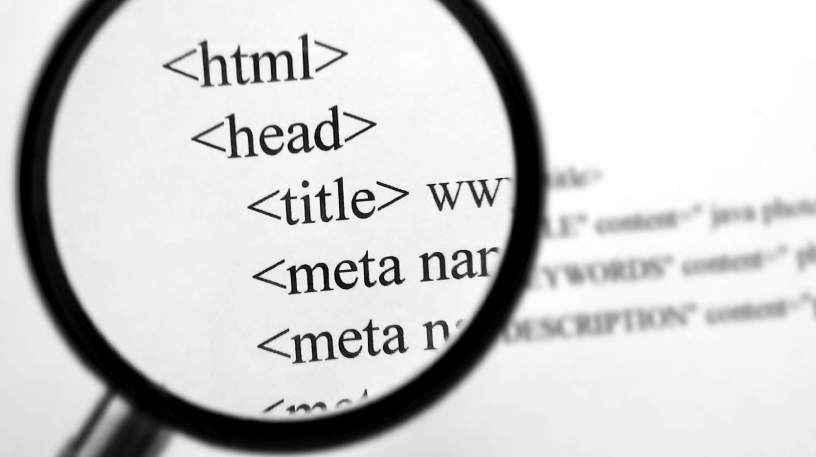
Meta tags are the encoded information found in the header of an HTML document that specifies the metadata. These are not visible on the web pages. User agents such as browsers or search bots are the only ones that can read meta tags. The purpose of these meta elements is to deliver additional data to a website to make it easier to parse HTML documents as well as manage file content. HTML page meta tags generally follow the following structure: attribution of a defined element and then the attribution of its content. So the metadata schema is as follows:
While HTML page metadata played an essential role in search engine optimization a few years ago, its influence on the rankings of Google and its competitors is now minimal. However, it is appropriate for website administrators to keep the information in the HTML headers and drop the full metadata into them. Indeed, they are still relevant to meta searchers. Besides, meta tags are used to define instructions that are used to control search robots.
Important meta tags
The list of possible elements in the HTML header is long. Beyond essential data such as page titles, descriptions, and definitions of the characters used, the header (the title of the files in HTML) allows delivering complete information to user agents. Thus website administrators can define keywords or give page themes via meta tags. Besides, it is necessary to name the editors or even the editors or else mention the information relating to copyright in the cards. Not all of this information is relevant for interaction with web browsers and search bots. This is different for the meta tags that govern user agent activity by prohibiting indexing of the corresponding HTML pages or by preventing crawlers from following outgoing links. The following selection will outline the most crucial meta elements and their use in the operation of a website.
Title tag
The <title> is not a meta element per se, but rather an independent HTML tag. Due to its interaction with user agents, however, it is often associated with metadata. As a required part of the HTML header, the <title> is usually placed before all other meta tags. Read by web browsers, it appears in a tab or window bar as the default name when creating bookmarks and in history. Also, all the big search engines use the <title> tags as titles of articles in their search results or SERP (for English search engine results page ).
The <title> is one of the many positive factors (around 200) for the ranking of a page in an organic search. In the context of oon page optimization, care must be taken that a <title> does not exceed 55 characters to be read by search engines, it is advisable to place the main keywords of a website in these <title> tags.
Character encoding
If special characters are not already defined in the HTTP header, it is recommended that you pass this information using HTML. The goal is, for example, to make accents appear without error in the specify special characters or character encoding, use the following meta tag:
Metadata is also relevant if a browser does not receive HTML files over HTTP but directly from the hard drive.
Description of pages
The description (also called meta description tag) is a space dedicated to writ summary of the content of the Internet page. Since this meta tag is taken into account by the most famous search engines such as Google or Bing in their search results, it is advisable to be very careful in their writing. Due to its importance on the click-through behavior of users for internet searches, the description is one of the essential meta tags of SEO HTML pages… Web site administrators should be careful not to use more than 160 characters, including spaces. Otherwise, aspects may be cut off in the SERPs, and the description may only appear in part. The meta description tag is above all intended for the Internet user and must, therefore, illustrate a concise summary of the content of his website. For Google, administrators must ensure that each page of their website has an individual description and that this provides precise information about the content offered. This text has obvious added value for Internet users and helps site administrators to increase their click-through rates when searching on the Internet.
Keywords
Keyword meta tags (or meta keywords tag) allow website administrators to define their keywords for a search program. It is through this stored information that an Internet user looking for keywords in a program’s database receives the appropriate HTML pages. These meta tags were previously essential for SEO and were the tricritical element in early search engine rankings. Today, this meta element is kept out of the calculation of Google’s ranking factors because it is easily manipulated. The Californian giant’s other competitors, such as Bing, also place little importance on keyword meta tags. Their relevance to a website’s search engine optimization is the equivalent of zero.
Author and copyright (author and copyright)
The “Author” and “Copyright” meta tag allows website administrators to specify in the source code of an HTML page who created the page in question and who is legally responsible for its creation. Content. On some content management systems (CMS, English glad management system ), the author tag is automatically inserted, and the name of the person who last worked on the page is always named. This has the advantage that administrators can see in the source directory.
Information for web crawlers (robots)
One of the challenges of meta tags is to provide indexing information for search engine crawlers. These are defined at the page level via meta robots tag data. Using the following meta tags to determine whether a page is added to a search engine index is now possible in SERPs on the IntAlso, you will be able to see if crawlers follow outgoing links or if they are ignored. Bot metadata is one of the essential meta tags in SEO. MavenUp Creatives provides special SEO Services in Lahore and helps businesses outrank their competitors in no time.
Index
To allow indexing of a page in a search engine, use the following meta tag: Since indexing web pages is the standard behavior of web crawlers, this data is usually unnecessary.
Noindex
If an HTML page is not added to search engine indexes, you will need to define it explicitly. The following meta tag prohibits the search tool from transmitting the contents of an HTML page to another database:
The “robot” attribute is intended for all search engine indexing robots. The index” attribute contains the information that allows indexing to be blocked. Prohibiting indexing only for a few robots is possible by choosing a different attribute name, such as “Googlebot.”
Follow
Following an outgoing link from a web page is part of the standard behavior of crawlers. In this case, metadata robots can be worded as follows:
This meta abundant as the dominant search engine crawlers always follow hyperlinks when nothing else is specified.
Nofollow
If you want to prevent a search crawler from landing on underlying pages of a website or other domains, then here are the meta tags to register:
The crawlers treat the web page as if the possible links did not exist. However, meta elements do not prevent search robots from transmitting the contents of HTML files to the database.
The Index / Noindex and Follow / Nofollow meta tags can be used both alone and in combination. It could thus be envisaged that a page could be added to an index but that the crawler ignores hyperlinks. The two factions of the search robot can be either blocked or allowed:
HTTP equivalents
Thanks to the HTTP-Equiv” attribute, the meta elements can contain equivalents to the information present in the HTTP header. This information is read, for example, if the Web server is not configured accordingly. The rule is that an identical header is preferred to meta tags of the HTML page.
Cache-Control
To ensure that the internet is fast, it is common to put web pages on proxy servers or in the cache of a browser to load them faster. This process can be avoided thanks to the “cache-control” meta tag and the no-cache content:
Web pages with this tag should be loaded on every page request. This slows down the page download, but it can also be relevant if the content of a web page is continually changing.
Refresh
The meta tags, including the attribute “HTTP-Esquivel,” allow us to create a simple form of transfer. Similar to the Expires tag, Refresh defines an expiration date. When this limit is exceeded, user agents such as Internet browsers or crawlers are transferred to a predefined URL. Since the Refresh meta tag does not work under specific browser settings, the World Wide Web Consortium (W3C) recommends a server-side implementation using HTML 301 rather than a transfer via a meta tag.
Meta tag generator
There are a plethora of meta tag generators on the internet for website administrators to quickly and easily create meta tags. The one on the SEO Tools site is efficient. To do this, you will need to insert your information only in the generator mask. This software then translates the data into source code. You can then transpose them directly into the HTML header of your web page.
 Tech Strike